

A slow or unreliable photocopier can delay client documents, interrupt busy teams and push monthly printing costs higher.
These problems often begin with a machine that cannot cope once document volume increases.
The types of photocopier available vary in speed, capacity, security and document handling.
Comparing these features against your actual workload helps you avoid repeated breakdowns, unnecessary expenses and an early replacement.
Photocopier machine supplier Nation Success supports businesses across Malaysia with practical recommendations, flexible rental and purchase options, and ongoing maintenance to keep operations running without disruption.
4 Types of Copiers Available in Malaysia

The ideal type of photocopy machine depends on your business size, daily document usage, and workflow needs. Each type serves a different purpose, and choosing the right one helps avoid unnecessary costs and operational delays.
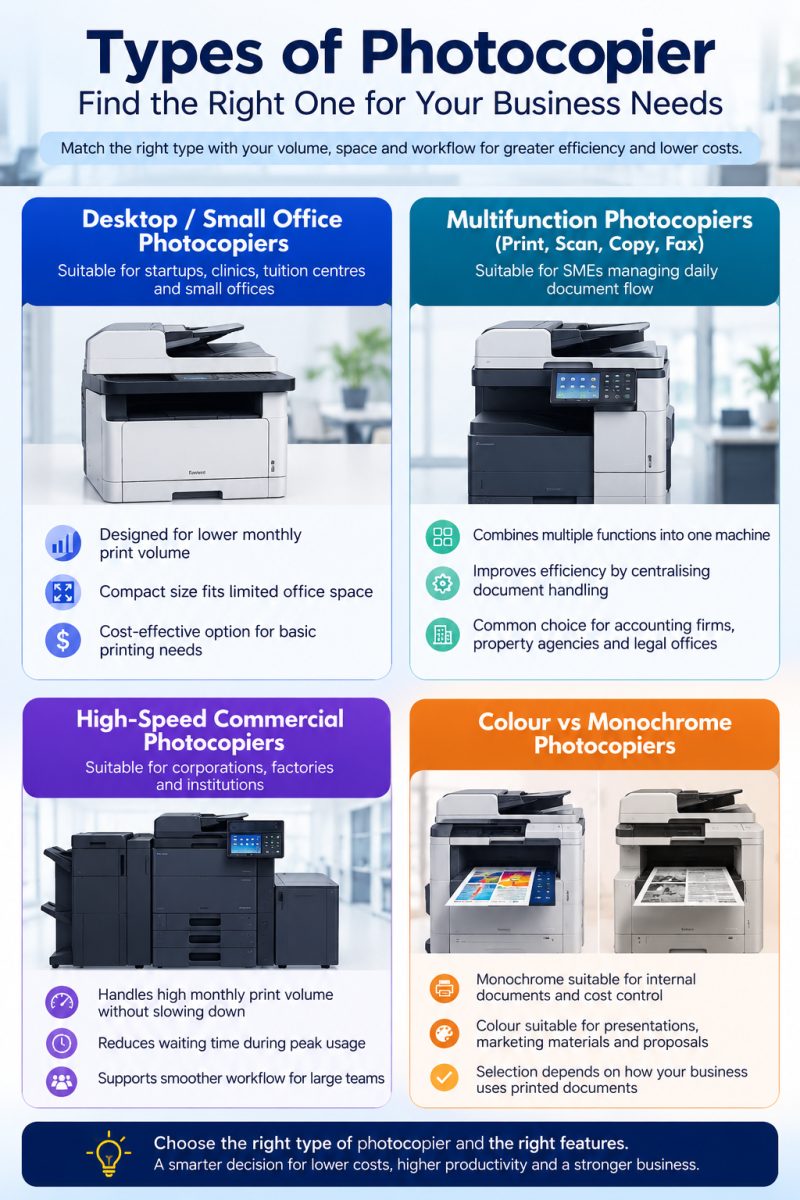
Each type of photocopier supports different business needs, so understanding your usage helps narrow down the most practical option.
Explore available multifunction printer options and copier rental in Malaysia choose one that fits your operations.
Photocopy Machine Function: Features That Improve Daily Operations

The ideal features of photocopiers help control costs, improve daily workflow, and reduce disruptions that affect your business operations.
1. Print Speed and Monthly Capacity
Print speed and monthly capacity should match your team size and daily document usage. A machine that cannot handle your workload will slow down operations, especially during peak hours.
A higher-capacity photocopier supports smoother workflow and helps avoid delays that affect productivity.
2. Running Cost and Toner Efficiency
The cost per page often has a bigger impact than the initial purchase price. Frequent toner replacement can increase monthly costs, especially for businesses with high printing volume.
Using genuine toner and spare parts helps maintain consistent performance and reduces the risk of machine issues.
3. Security Features
Security features are important for businesses handling sensitive documents.
HR records, financial reports, and contracts require proper protection to avoid unauthorised access.
Features such as secure printing with user authentication help ensure that only authorised individuals can access documents. This adds an extra layer of protection for daily operations.
4. Network and Cloud Integration
Network and cloud integration improve how documents are shared and stored.
Scanning directly to email or cloud storage allows teams to access files more easily, especially in hybrid or remote working environments.
This helps improve document accessibility and supports better collaboration across teams.
Learn how secure printing works and how it protects your business documents through Nation Success’s print management system.
5. After-Sales Support and Maintenance
After-sales support and maintenance affect how reliable your photocopier remains over time.
Fast technical support reduces downtime that can disrupt business operations. Regular servicing keeps the machine running efficiently, while ready availability of spare parts prevents delays during repairs.
Nation Success helps businesses select and manage photocopiers that meet performance needs, control running costs, and ensure reliable long-term support.
Learn what a copier maintenance service contract covers and how it helps reduce downtime through copier machine rental.
Get in touch with Nation Success to explore suitable photocopier types and features for your business needs.
Match Your Photocopier Machine to Your Business Needs and Growth
Every business operates differently, and the way your team handles documents today may not stay the same as your workload grows. Instead of focusing on ownership alone, it makes more sense to align your photocopier setup with how your business runs and where it is heading next.
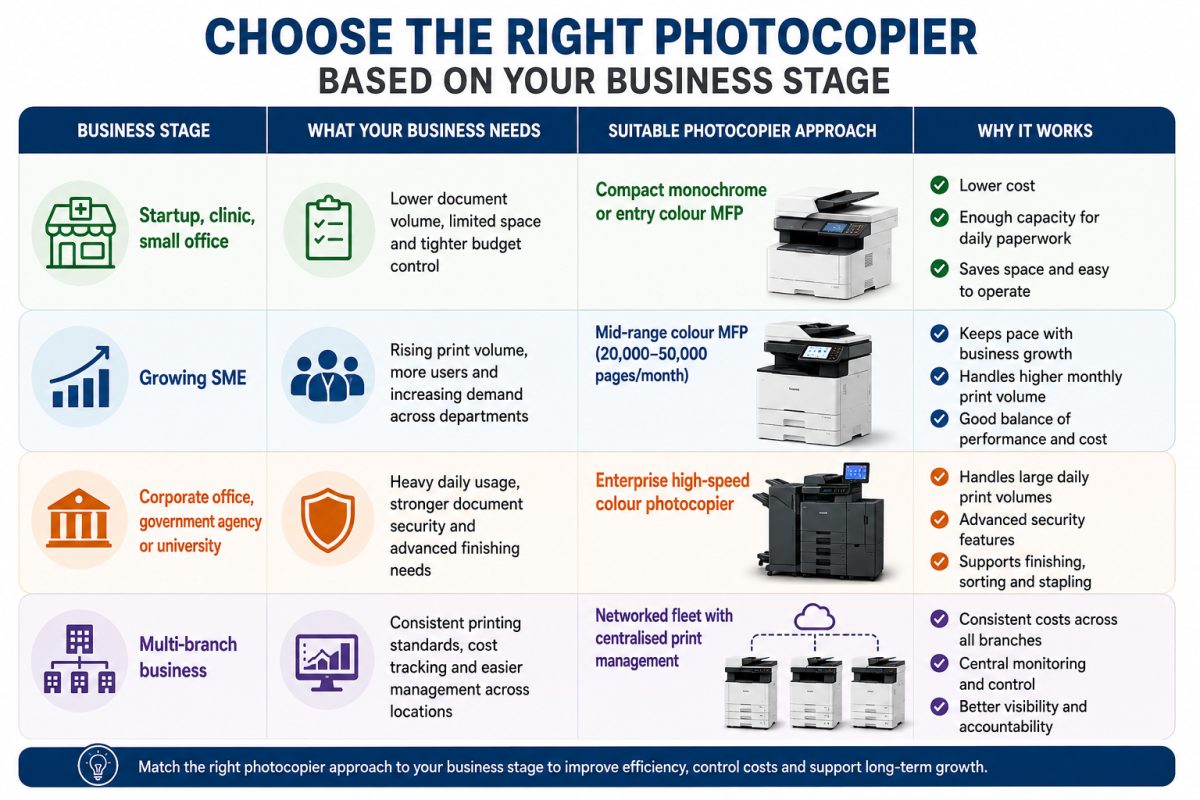
Aligning your photocopier setup with your business stage helps reduce unnecessary costs and avoids frequent changes that disrupt operations.
Nation Success provides guidance based on your business needs, helping you choose a setup that supports both current operations and future growth.
Still unsure whether to buy or rent? Learn more about renting a copier machine to make a better decision.
4 Common Mistakes Businesses Make When Choosing a Photocopier

Many businesses face ongoing issues because key factors are overlooked during the decision process. These mistakes often lead to higher costs, frequent disruptions, and inefficient workflows.
1. Choosing Based on Lowest Price Only
Focusing only on the cheapest option can result in higher long-term expenses.
Lower-cost machines may not handle your workload efficiently, leading to slower performance, frequent servicing, higher consumable usage, and increased operational costs over time.
2. Ignoring Long-Term Maintenance Cost
Some businesses overlook the cost of toner, spare parts, and servicing. These recurring expenses can exceed the initial machine price if not planned properly.
A photocopier with lower running cost and reliable maintenance support helps keep overall expenses under control.
3. Selecting the Wrong Capacity
Choosing a machine that does not match your document volume can affect daily operations.
A machine with low capacity may struggle during peak periods, while an oversized machine may lead to unnecessary spending.
Matching capacity with actual usage helps maintain efficiency.
4. Not Checking Supplier Support Reliability
After-sales support keeps operations running smoothly. Delays in servicing or lack of spare parts can cause downtime that affects productivity.
Working with a reliable supplier for photocopiers ensures faster response time and consistent support when issues arise.
Avoiding these common mistakes helps businesses choose a photocopier that supports daily operations, controls costs, and reduces unnecessary disruptions.
Reach out to Nation Success to discover photocopier options and features that support your workflow.
Nation Success Complete Photocopier Solutions for Your Business Needs
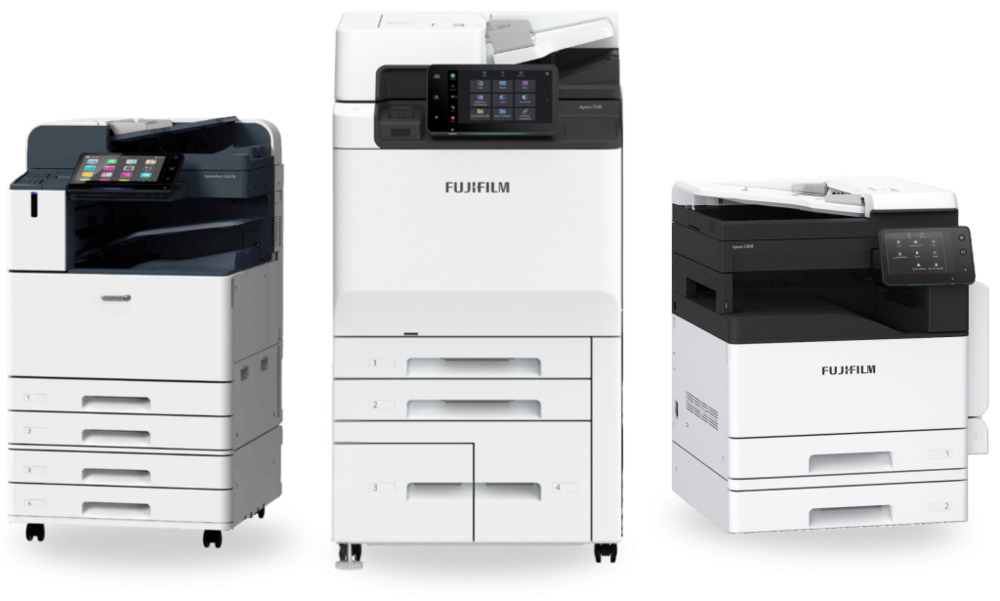
We work with businesses across Malaysia to provide practical, reliable photocopier solutions.
a. Needs analysis and recommendation
We review your document volume and workflow to recommend a machine that fits your actual usage without overspending.
b. Wide range of commercial photocopiers
Businesses can choose from various models suited for different workloads, making it easier to find a practical fit for daily operations.
c. Rental and purchase options
Flexible options (including copiers for sale) are available to match your budget and business stage, allowing you to choose a setup that works for your current needs.
d. Maintenance support and genuine spare parts
Ongoing servicing and access to genuine photocopier machine spare parts help maintain performance and reduce the risk of unexpected breakdowns.
e. Long-term support
Support continues as your business grows, helping you adjust your photocopier setup without disrupting operations.
Set Up Your Business for Efficiency with Nation Success
Having an ideal photocopier setup with setting your decision helps avoid frequent breakdowns, inefficient workflows, and ongoing expenses that affect daily operations with constant adjustments or replacements.
Taking time to review your needs ensures the machine supports your workload today and remains reliable as your business grows.
Speak to Nation Success today to get a recommendation based on your business needs or request a quotation to explore suitable photocopier options.
Frequently Asked Questions About Types of Photocopier
1. What are the main types of photocopier machines available in Malaysia?
The main options are compact monochrome copiers, colour multifunction printers, mid-range high-speed copiers and enterprise colour copiers.
2. Which photocopier is best for a small office or clinic?
A compact monochrome copier or entry-level colour MFP such as the Fujifilm Apeos C2061 suits offices with lighter monthly printing needs.
3. What is the difference between a photocopier and a multifunction printer?
A photocopier duplicates documents, whereas a multifunction printer combines copying, printing, scanning and faxing in one machine.
4. Should my business rent or buy a photocopier?
Renting offers greater flexibility and easier upgrades, whereas buying may suit businesses with stable, predictable print volume.
5. How do I know what print volume my business needs?
Review your monthly page count over two to three months and allow extra capacity for busier periods.
6. Does Nation Success provide maintenance for every type of photocopier it supplies?
Yes, Nation Success provides maintenance support and real-time PUMS monitoring for the photocopiers it supplies.