

Many Malaysian businesses invest in a photocopier before understanding what they actually need.
Some end up paying for features they rarely use, while others struggle with a machine that cannot keep up as their business grows. The result is unnecessary costs, frequent disruptions, and a copier that no longer fits the way they work.
Choosing between renting copier machine and buying is one of the first decisions to get right.
An experienced copier machine supplier can assess your printing needs, budget, and business plans before recommending a solution that supports your operations today and in the future.
5 Key Factors to Consider Before Renting or Buying Copier Machine
Looking at price first can lead to the wrong decision. A cheaper option may seem attractive at the start, but it may not support your daily operations or future growth.
A better approach is to look at how your business actually uses a copier:
| Factor | What to Consider | Why It Matters for Your Decision |
| Monthly Print Volume | Estimate how many pages your business prints each month | Higher volume requires a more durable machine, while lower usage can work well with renting copier machine |
| Business Stage | Startup, SME, or established company | Growing businesses often prefer renting copier machine for flexibility, while stable businesses may consider buying |
| Available Budget | Upfront capital vs preference for monthly expense | Helps determine if renting or buying fits your financial planning |
| Growth Plans | Expansion of team or operations in the near future | Renting allows easier upgrades as your business grows |
| Operational Priority | Need for maintenance support and minimal downtime | Rental plans with support reduce disruption and keep operations running smoothly |
Nation Success evaluates these factors to recommend a copier setup that fits your business needs, helping you avoid decisions based only on price.
Not sure if renting copier machine or buying fits your setup? Get a quick recommendation from NationSuccess.
Matching Copier Capacity to Office Size
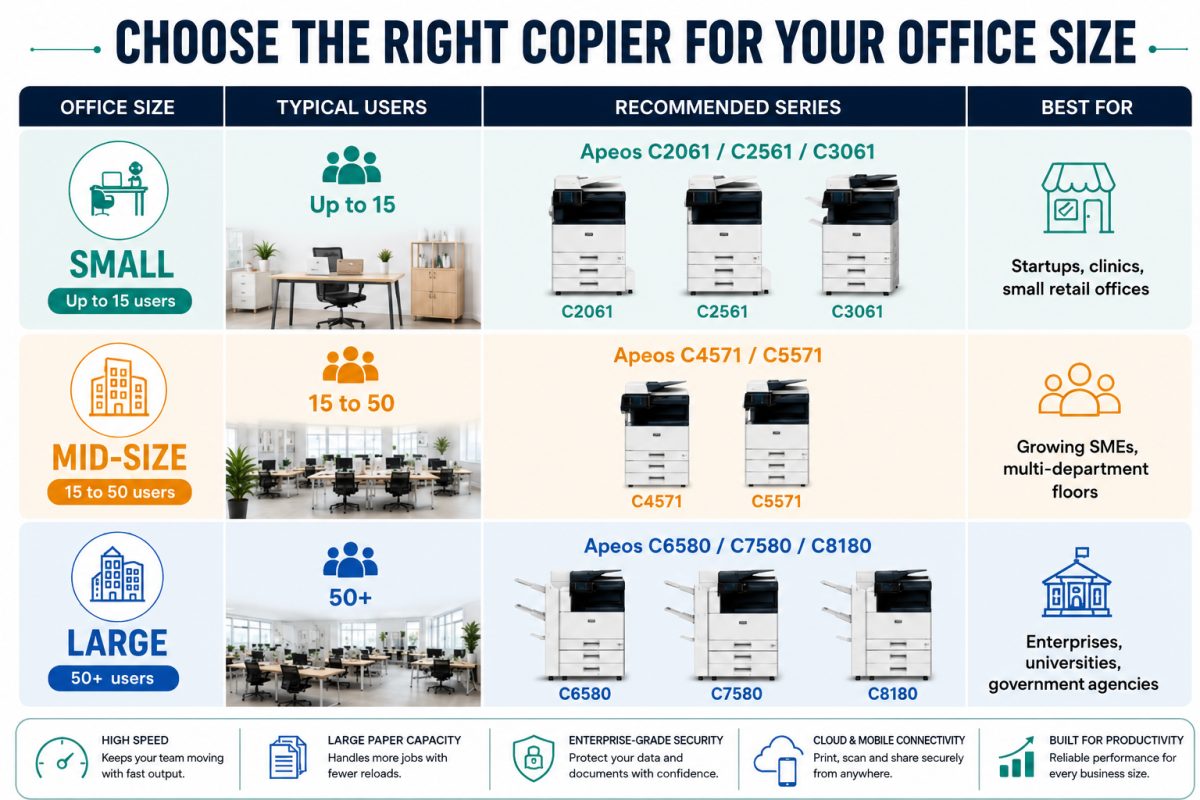
The number of people sharing a copier directly affects the speed, paper capacity, and workload it needs to handle.
Matching copier capacity to office size helps prevent slowdowns, overcrowded print queues, and unnecessary spending on a machine that is either too small or too powerful for daily use.
1. Small Offices and Startups (Up to Around 15 Users)
Compact multifunction printers cover copying, scanning, and printing without eating up floor space. The Fujifilm Apeos C2061, C2561, and C3061 series suit this bracket well, with vibrant color output, fast scanning, and mobile and cloud connectivity for teams that print in short bursts rather than constant runs.
2. Growing and Mid-Size Offices (Roughly 15 to 50 Users)
Once print jobs overlap across departments, speed and duty cycle become the deciding factors, since MFPs are graded largely by pages-per-minute output and how much volume they can sustain.
The Fujifilm Apeos C4571 and C5571 series handle heavier daily loads, scan at speeds up to 135 ppm, and hold larger paper stocks, so marketing, HR, and finance teams are not stuck waiting on the same tray.
3. Large Enterprises and High-Volume Departments (50+ Users)
Centralized print rooms and busy back offices need engines built for continuous output.
The Fujifilm Apeos C6580, C7580, and C8180 series run up to 81 ppm with enterprise-grade security, a fit for corporations, universities, and government departments running heavy daily volume.
Nation Success can walk through actual print logs from your current machine and recommend a series rather than guess from headcount alone.
When Renting a Photocopier Makes More Sense
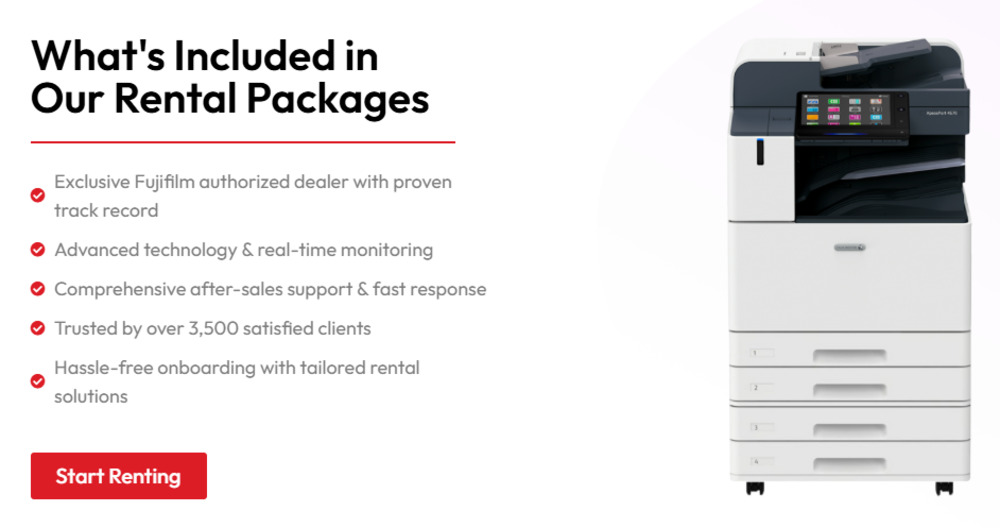
Renting a photocopier fits businesses that want to manage costs carefully while keeping operations smooth. It offers flexibility and reduces the need for large upfront spending, which is important for many growing teams.
a. Lower upfront commitment
Renting removes the need for a high initial investment, making it easier to get started without affecting your cash flow.
b. Predictable monthly cost
Fixed monthly payments help with budgeting and avoid unexpected expenses.
c. Maintenance and servicing included
Support is usually part of the rental plan, reducing the risk of downtime and additional repair costs.
d. Flexibility to upgrade
As your business grows, you can switch to a more suitable machine without replacing the entire setup.
e. Suitable for growing businesses
Startups and SMEs often choose renting copier machines to stay flexible while scaling their operations.
Nation Success offers flexible copier machine lease packages with type of photocopy machine supported by a responsive technical team.
Learn more about how Nation Success copier rental in Malaysia helps businesses to focus on daily operations while ensuring their printing needs are handled without disruption.
When Buying a Photocopier Is the Smarter Investment
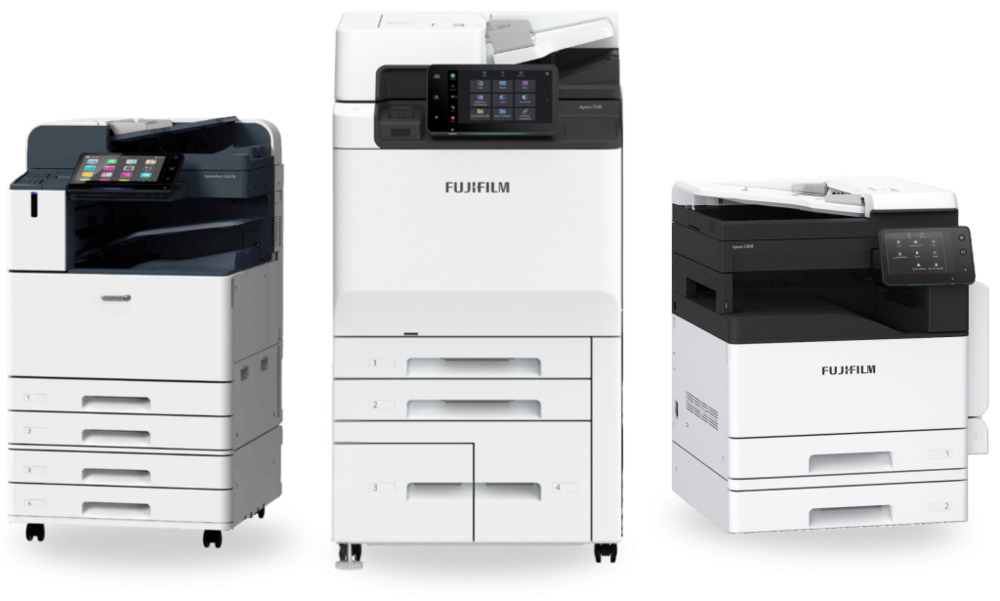
Buying a photocopier suits businesses with stable operations and consistent printing needs. It offers greater control and can be more cost efficient over time when usage is predictable.
a. Better for high volume printing
Businesses with steady daily usage can benefit from owning a machine that handles workload without relying on rental limits.
b. Long-term cost efficiency
While the upfront cost is higher, owning the machine can reduce overall expenses over time when printing demand remains consistent.
c. Asset ownership
The copier becomes part of your business assets, which may be preferred for companies planning long term operations.
d. Control over machine selection
You can choose a model that fits your exact requirements without being tied to a rental package.
Nation Success supplies both new and used copiers for sale, helping businesses choose options that match their usage and budget. With proper guidance and support, buying can be a practical investment for businesses ready for long term commitment.
Rental vs Purchase: Which Setup Fits Your Business Situation?
Instead of comparing numbers, it helps to look at how each option fits your daily operations and business direction.
| Business Situation | Renting Copier Machine | Buying Copier Machine |
| Startup or new business | Easier to start without heavy spending and keeps cash flow stable | May strain budget due to upfront cost |
| Growing team or workload | Flexible to upgrade as needs increase | May require replacing the machine if capacity becomes insufficient |
| Stable and predictable usage | Monthly cost continues over time | More cost efficient once usage remains consistent |
| Need for minimal downtime | Maintenance and support usually included | Requires separate servicing planning and cost |
| Preference for flexibility | Easier to adjust based on business changes | Less flexible once purchased |
| Long term operational planning | Suitable for short to mid term planning | Suitable for businesses planning long term usage |
Nation Success guides businesses through this assessment to recommend a solution that supports daily operations and future plans without unnecessary complications.
Compare renting copier machine and buying options with NationSuccess on WhatsApp and get a solution that fits your daily operations.
Simplify Your Copier Decision with Nation Success
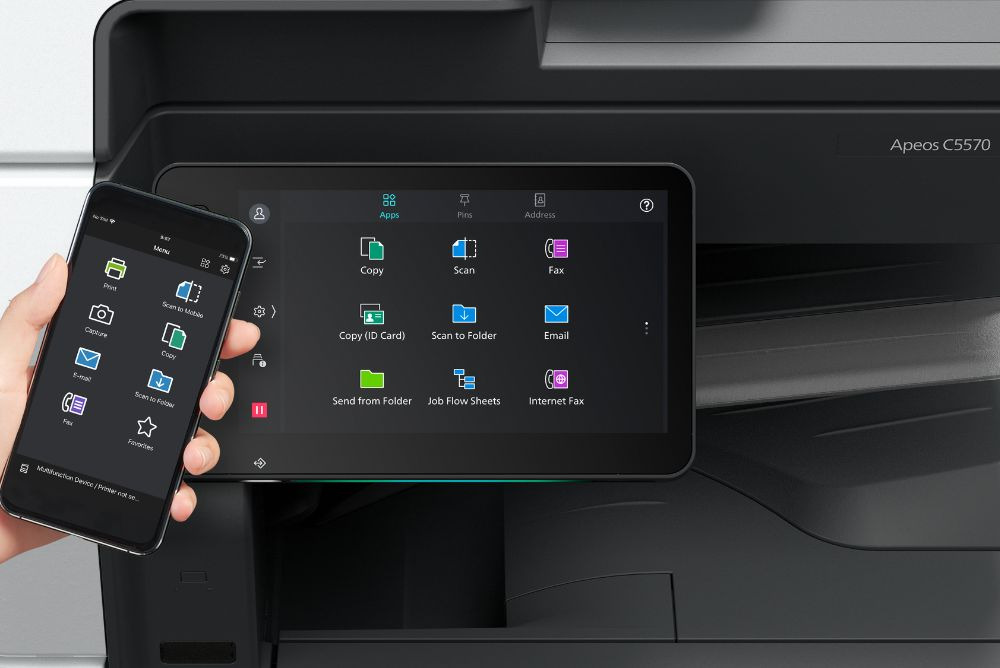
Nation Success office copier supplier works closely with businesses to recommend solutions that fit actual usage.
a. Flexible copier rental options
Rental plans are structured to match your monthly usage and business size. This allows you to manage cost while keeping operations consistent.
b. New and reconditioned copier machines for purchase
Businesses can choose machines based on budget and workload, including cost-effective reconditioned units that still deliver reliable performance.
c. Maintenance and technical support
Ongoing servicing and support under copier maintenance services contract help reduce downtime and keep your office running without disruption.
d. Genuine spare parts and toner supply
Reliable parts for photocopy machine repair ensure consistent print quality and minimise the risk of recurring issues.
e. Practical recommendations based on your needs
We provide guidance based on your usage, helping you avoid overspending or choosing the wrong setup.
Having us onboard helps you move forward with a copier solution that fits your business operations and long-term plans.
Browse our available multifunction printer options and choose based on your business needs.
Find the Ideal Copier Solution for Your Business with Nation Success
The ideal copier setup should support your daily workload without adding pressure on your budget or operations based on your usage for business.
It helps to get a recommendation that fits your actual business needs instead of comparing options on your own. This avoids unnecessary cost, reduces downtime, and ensures your copier can support your team as you grow.
Speak to Nation Success to get a quick recommendation based on your usage, explore rental or purchase options, and set up a system that works smoothly for your operations.
Frequently Asked Questions About Copier Machine Supplier
1. What size copier does a small office in Malaysia need?
Offices with up to around 15 users generally do well with a compact model such as the Fujifilm Apeos C2061, C2561, or C3061 series, which handles moderate daily volume without taking up much floor space.
2. How many pages per minute should a growing office look for?
Mid-size offices with 15 to 50 users usually need a multifunction printer in the Apeos C4571 and C5571 range, built for higher daily volume and faster scanning across departments.
3. Is renting or buying better for a new office?
Renting suits most new and growing offices because it keeps upfront cost low and bundles maintenance into one monthly fee, while buying tends to fit stable, high-volume departments.
4. Does Nation Success support businesses outside Klang Valley?
Yes. Nation Success serves across Malaysia, with next-day delivery and installation available within Klang Valley.
5. What comes included when renting a copier from Nation Success?
Rental plans include maintenance, genuine spare parts, and the option to add PaperCut software for print cost and access control.
6. How do I know if my current copier is undersized for my office?
Frequent paper jams, long print queues, and slow first-copy times are common signs the machine is running below the volume your team actually needs.