










Software Solutions
Print Management System Malaysia for Secure Office Printing
Control print access, usage, costs and document release across your office devices.
Nation Success provides print management software for Malaysian businesses using shared printers and multifunction devices. PaperCut MF, ApeosWare Management Suite 2 and FUJIFILM Print Utility help teams track usage, apply controls, protect confidential print jobs and simplify day-to-day printing.
- Secure print release
- Usage reporting
- User & cost controls
- Mobile printing
Who can print
and release
jobs
Control
Usage by user or department
Track
Confidential documents at shared devices
Protect
Print activity and cost information
Report
What Does a Print Management Solution Do?
A print management solution gives an organisation central control over printing, user access, secure release, usage tracking and reporting.
It helps IT and finance teams see how printers are used, apply sensible print policies and keep confidential jobs from sitting unattended on shared output trays.
Printer driver vs print management: A normal printer driver connects a computer to a printer. A print management system adds central user controls, secure release, usage tracking, policies and reporting across the office print environment.
For offices with several copiers, departments or sites, a print management system also creates a consistent way to manage access and print behaviour across the fleet.
Untracked print spend
Usage reports and cost controls give finance clearer visibility into print activity.
Documents left at printers
Secure release holds a job until the authorised user collects it.
Different rules by device
Central policies help standardise user access and print controls.
Limited usage visibility
Dashboards and logs make printing patterns easier to review.
Choose the Right Print Management Solution for Your Office
The Nation Success range covers secure print control, centralised device management and mobile printing. Omada supports the network infrastructure behind connected office devices.
User authentication, secure print release, Find-Me printing, quotas, cost controls and usage reporting for shared multifunction devices.
ApeosWare Management Suite 2
Centralise users, devices, print jobs, accounting, logs and document distribution across a managed print environment.
FUJIFILM Print Utility
Print, copy, scan and fax from supported iPhone and Android devices using Wi-Fi, Wi-Fi Direct, QR code or NFC.
Omada by TP-Link
A cloud-managed networking platform that supports stable, centrally managed connectivity for printers, multifunction devices and other office hardware.
Secure Printing, Cost Control and Reporting in One Print Management System
PaperCut MF is built around user accountability and secure access. Staff can send a job, authenticate at an authorised device and release the document when they are ready to collect it.
Find-Me printing
Send a job once and release it at an authorised device.
Secure print release
Keep jobs held until the user authenticates at the copier.
User authentication
Control device access and make shared printing more accountable.
Quotas & cost controls
Set print limits and review usage by user or department.
Digital signing & watermarking
Add document controls for workflows that need stronger print security.
Sustainable printing
Reduce avoidable paper and toner use through policies and user visibility.
Scanning & OCR
Route scans to folders, email or cloud services and create searchable text where supported.
Reports & insights
Track print activity and costs to support better planning and governance.
ApeosWare Print Management Solution for Centralised Control
Manage multifunction devices, users, accounting, logs and document workflows through one centrally administered environment.
Visualise
Use dashboards across admin portals, device panels and mobile access to review status, logs and print accounting.
Organise
Manage devices, users, print jobs and costs centrally with consistent policies and user profiles.
Connect
Link document workflows with file-management and cloud services, including automated distribution where configured.
Adapt
Choose Entry or Enterprise configurations, including single-server or distributed deployments, as IT requirements grow.
Mobile Print Management for Flexible Office Workflows
FUJIFILM Print Utility lets staff print, copy, scan and fax from compatible iPhone and Android devices, with simple connection options and mobile-friendly controls.
Print photos & documents
Print photos, PDFs and DocuWorks files, including quick output after capture.
Image enhancement tools
Use correction, tone and rotation tools for document or whiteboard snapshots.
Smart mobile control
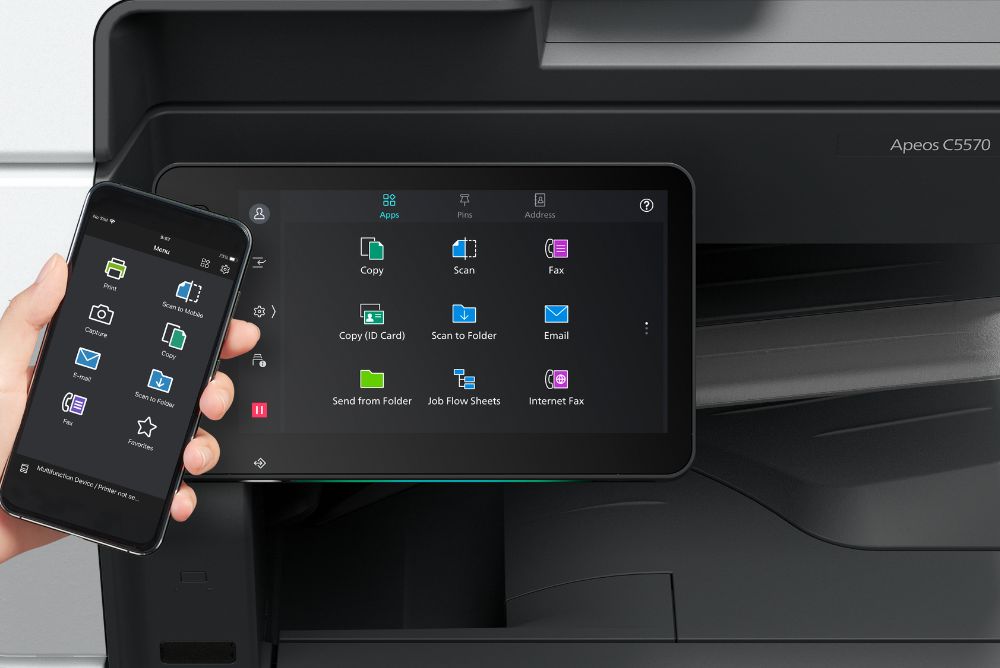
Use a phone as a remote panel and save common copy, fax, email or scan settings.
Hygienic & convenient
Use mobile contacts and reduce repeated interaction with shared device controls.
Seamless connectivity
Connect through Wi-Fi, Wi-Fi Direct, QR code or NFC on supported devices.
Accessible design
Supported accessibility options include enlarged text, colour inversion and text-to-speech.
How Omada Supports a Connected Print Management Environment
Omada by TP-Link is a cloud-managed networking platform, not a print management application. It supports the network layer used by printers and multifunction devices through centralised management of gateways, switches, access points and controllers.
This distinction keeps the software decision clear: PaperCut MF and ApeosWare manage printing, users and workflows; Omada supports the network carrying those connections.
Centralised cloud management
Manage gateways, switches and access points across sites from one dashboard.
Zero-touch provisioning
Prepare compatible devices centrally to reduce onsite configuration work.
Real-time monitoring
Review network health, connections and traffic through a live dashboard.
AI-driven optimisation
Use analytics and automated alerts to identify network issues earlier.
Multi-scenario support
Support office, hospitality, retail and education network requirements.
Scalable SDN architecture
Use on-premise or cloud-controller options as network needs expand.
Versatile device portfolio
Support gateways, Wi-Fi access points, PoE switches and other business networking hardware.
Which Print Management Solution Fits Your Business?
Start with the problem the office needs to solve, then match the software and device environment to it.
| Solution | Best Suited To | Main Controls | Role in the Environment |
|---|---|---|---|
| PaperCut MF | Shared office copiers, schools, departments and organisations needing user accountability | Authentication, secure release, quotas, cost controls, reports |
Core print management |
|
ApeosWare Management Suite 2 |
Businesses managing multiple devices, users and document workflows | Device management, accounting, logs, secure output, document distribution | Central administration |
| FUJIFILM Print Utility | Teams that need mobile access to compatible FUJIFILM devices | Mobile print, copy, scan, fax and remote controls | Mobile workflow |
| Omada by TP-Link | Offices needing centrally managed network infrastructure | Network devices, connectivity, monitoring and provisioning |
Supporting network layer |
Connect Your Print Management System to the Right Copier Setup
Software works best when the device fleet, support plan and print policies are planned together.
Pair print controls with a managed copier plan for offices that prefer a monthly hardware arrangement.
Choose a permanent device fleet and add print-management software around your usage and security needs.
Review current multifunction copiers and colour devices before selecting a compatible office setup.
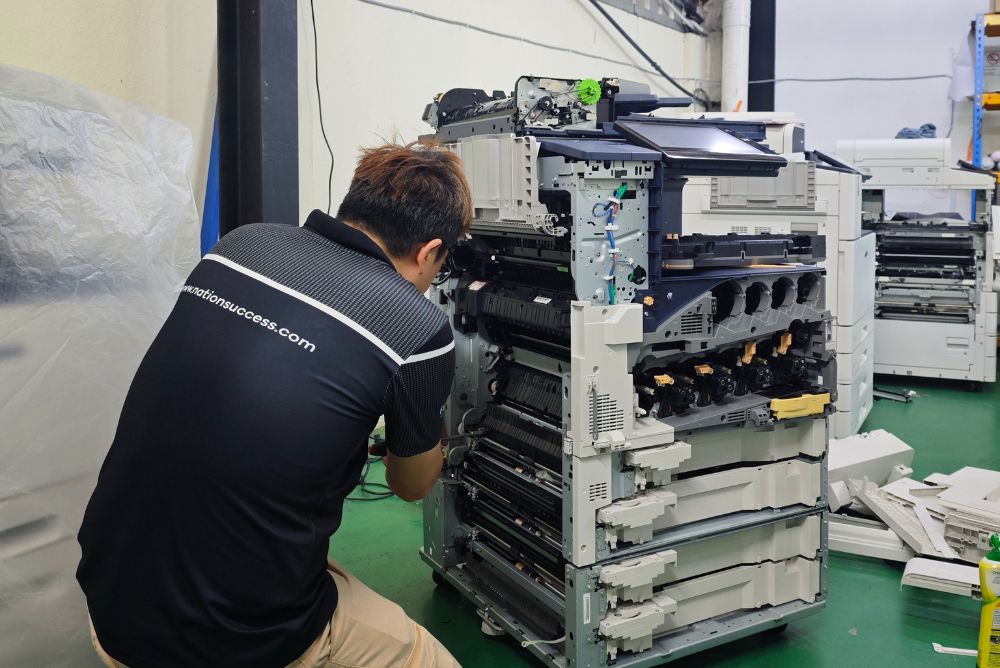
Repairs and spare-parts support help maintain the hardware behind a managed print environment.
Guides on Cloud Based Print Management
These Nation Success guides explain two common decisions in greater depth.
Cloud-based print management
See what a cloud-hosted setup can include, such as central dashboards, secure release, usage reporting and policy controls.
PaperCut MF secure printing
Learn how authentication, secure release, usage tracking and print accountability work in a shared office environment.
Plan the Right Print Management Solution Around Real Office Usage
Start with user count, monthly print volume, number of devices, security needs and reporting requirements. Nation Success can then recommend the print management system, deployment approach and copier setup that fit the office.
Print Management System FAQs for Malaysian Businesses
Seven practical answers covering cost control, security, sustainability, compatibility, mobile use and ongoing support.
What is a print management system, and how is it different from a printer driver?
A print management system adds central controls such as authentication, secure release, policies, usage tracking and reporting. A normal printer driver mainly lets a device send a job to a printer.
How can a print management solution reduce costs and track usage?
A print management solution can report usage by user or department, apply quotas and highlight avoidable printing. This gives IT and finance clearer data for controlling paper, toner and print costs.
How does secure print release protect confidential documents?
Jobs remain held until the user authenticates at an authorised device, reducing unattended documents on shared trays. See the PaperCut MF secure printing guide.
Can print management help make office printing more sustainable?
Yes. User quotas, secure release, reporting and print policies can reduce unnecessary pages and toner use, helping teams build more responsible printing habits.
Can a print management system work with FUJIFILM multifunction copiers?
Yes, supported FUJIFILM multifunction devices can work with the software options on this page. Browse the FUJIFILM copier range and confirm compatibility for the model being considered.
Can employees print from phones or tablets?
Yes. FUJIFILM Print Utility supports mobile printing and other functions on compatible devices through Wi-Fi, Wi-Fi Direct, QR code or NFC, with accessibility options on supported setups.
Does Nation Success provide setup, training and ongoing support?
Yes. Nation Success provides onboarding and ongoing technical support for its print management systems, and can align the software with rental copiers, purchased devices or existing office equipment.
Contact Information
Reach out to us for any inquiries, assistance, or collaboration opportunities. We’re here to help.
PaperCut MF - Printing Management Software
PaperCut MF offers user authentication, quotas, and cost controls, promoting a more sustainable and cost-effective printing environment. By enabling secure print release and user-based access controls, PaperCut MF safeguards sensitive documents and streamlines MFD access within your organization. This powerful print management software system provides businesses with efficient tools to monitor, manage, and optimize their printing operations.

Easy Printing
Enable seamless cross-platform printing with Find-Me printing. Print from any device, anytime, anywhere, and pick up your prints at any printer with a simple tap-and-release workflow.

Secure Printing
Protect data before, during, and after printing. Manage device access, implement secure print release or even digitally sign and watermark your print jobs to enhance security.

Sustainable Printing
Empower your organization to reduce its environmental impact by saving paper, toner, recovering costs and developing sustainable habits.

Featureful Printing
Streamline scanning with one-touch access to home folders, email, and cloud storage accounts. Optical character recognition (OCR) converts unlimited scans into editable, text-searchable smart documents.

Reports
Save time, improve accuracy, and gain valuable insights into your organization’s print usage, with just a simple click, text-searchable smart documents.
Mobile Printing
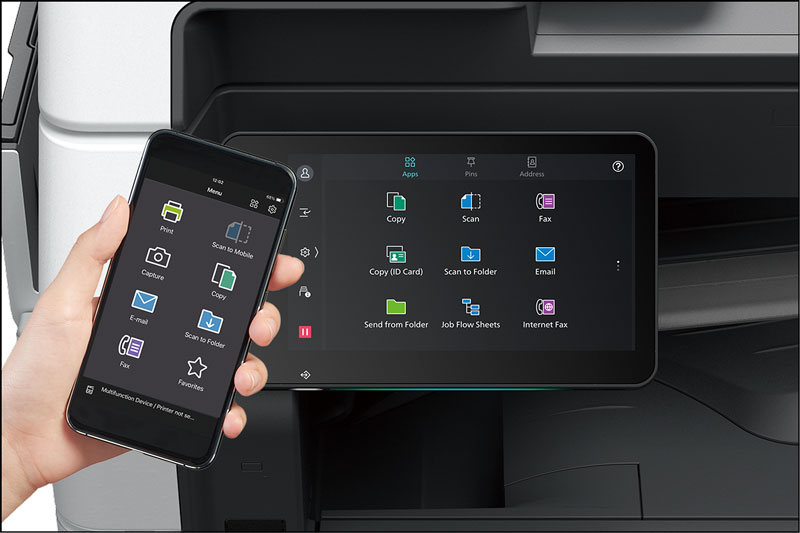
Print Utility is a free mobile app that lets you print, copy, scan, and fax directly from your iPhone or Android device to compatible FUJIFILM multifunction printers with no complex setup required. Simply connect via Wi-Fi, Wi-Fi Direct, QR code, or NFC and start working efficiently. This app is part of our print management tools, enabling seamless mobile printing while maintaining security and workflow efficiency.
Features

Print Photos & Documents
Easily print photos and DocuWorks or PDF documents stored on your mobile device, including instant photo printing right after capture with automatic resizing to your selected paper size.

Image Enhancement Tools
Apply keystone correction, tone reproduction adjustment, and image rotation on your device, perfect for whiteboard notes or document snapshots.

Smart Mobile Control
Use your mobile device as a remote operation panel. Preset jobs like Copy, Fax, Email, and Scan to Folder, and save frequent options as “Favourites” for fast, efficient access.

Hygienic & Convenient
No need to register fax or email recipients on the printer, simply select from your mobile contacts. Reduce shared touchpoints at the device for improved hygiene.

Seamless Connectivity
Connect effortlessly via NFC tap, QR code scan, or standard Wi-Fi/Wi-Fi Direct, ideal for NFC-lacking devices or visitor-friendly printing setups.

Accessible Design
Features enlarged text, color inversion, and text-to-speech support for visually impaired users, ensuring usability for all.
ApeosWare Management Suite 2
ApeosWare Management Suite 2 is a comprehensive print management solution designed to help businesses oversee multifunction devices, printers, and user operations. It provides integrated authentication, secure print output, centralized accounting, log tracking, and streamlined document distribution—all aimed at reducing costs, minimizing security risks, and improving overall printing workflow efficiency.
Features

Visualize
Enjoy an intuitive and user-friendly interface across the admin web portal, control panels, and mobile devices. Real-time dashboards provide clear insights into usage status, log monitoring, and print accounting.

Organize
Manage devices, users, print jobs, and costs from a centralized platform. Standardized policies and user profiles across all devices enhance governance and make lifecycle control simple

Connect
Integrate seamlessly with a variety of systems and platforms, including file management and cloud services. Document distribution is made easy through automated workflows

Adapt
Choose from Entry or Enterprise Editions, with flexible configurations that range from single-server setups to distributed systems. This scalable solution adjusts to your business size, IT requirements, and security needs

Omada by TP-Link
Omada is a business-grade, cloud-managed SDN (Software Defined Networking) platform for small to mid-sized deployments, including offices, hospitality, retail, and education.
It integrates gateways, switches, access points, controllers, and more into one unified platform, delivering centralized cloud control, enhanced scalability, and robust security.
While primarily a network management solution, Omada complements your print management software system by ensuring stable, secure, and scalable connectivity for all your printers and multifunction devices.
Features

Centralized Cloud Management
Administer all Omada devices including gateways, switches, and access points across multiple sites using a single cloud-based dashboard that is accessible via web or mobile.

Zero-Touch Provisioning
Deploy new devices quickly and easily without requiring onsite configuration, as the cloud controller automatically handles setup and onboarding.

Real-Time Dashboard & Monitoring
Monitor live network status, client connections, traffic usage, and health metrics from an intuitive dashboard for simplified oversight

AI-Driven Optimization
Utilize smart analytics and automated alerts to optimize network performance and proactively identify issues before they affect the network.

Multi-Scenario Focus
Access tailored solutions for various environments such as hospitality with guest management, retail with O2O integration, education with high-density Wi-Fi, and surveillance with long-reach connectivity

Scalable SDN Architecture
Benefit from both On-Premises hardware or software and full cloud controller options, enabling networks to grow seamlessly and adapt to changing IT requirements.

Versatile Device Portfolio
Select from a wide range of enterprise devices including VPN gateways, high-density Wi-Fi 5/6 access points in ceiling-mounted, wall-plate, and outdoor formats, PoE and non-PoE switches, and industrial-grade hardware.
Smarter Print Management Starts Here
As Malaysia’s trusted print management solution provider, Nation Success equips your business with powerful printing management software and tools that streamline operations, reduce waste, and keep your documents secure.
Frequently Asked Questions
What is a print management software system?
A print management software system is a platform that helps organizations monitor, control, and optimize their printing operations. It includes features like user authentication, cost tracking, secure print release, and reporting to improve efficiency and reduce waste.
How can a print management solution benefit my business?
A robust print management solution delivers measurable benefits across your organisation, reducing printing costs, safeguarding sensitive documents, streamlining document workflows, and promoting sustainable printing practices. With the right printing management software, businesses can take full control of their print environment and drive long-term operational efficiency.
Can I use print management tools with mobile devices?
Yes. Modern print management tools, such as mobile printing apps, allow employees to print, copy, scan, and fax directly from smartphones or tablets while maintaining security and efficiency.
Are your software solutions compatible with multifunction devices and printers?
Yes, our document print and management systems are designed to integrate seamlessly with a wide range of multifunction devices, copiers, and printers, ensuring centralised control and smooth day-to-day operations across your entire office.
Do print management systems support reporting and cost tracking?
Yes. All our print management software systems provide detailed reporting, log tracking, and cost management features to help businesses monitor usage and optimize their printing environment.
Can these solutions improve sustainability in my office?
Yes, our printing management solutions include features like secure print release, user quotas, and usage monitoring, helping reduce unnecessary paper and toner waste while promoting eco-friendly, sustainable office printing practices.
How secure is your print management software?
Security is a core feature of our printing management software. With user authentication, secure print release, and encrypted document handling, your sensitive business documents are fully protected from unauthorised access at every stage of the print process. Find out how our PaperCut MF Secure Printing Solution keeps your document safe at every step.
Can print management software help reduce our overall printing costs?
Yes. One of the biggest advantages of a document print and management system is cost reduction. By tracking usage, setting print quotas, and eliminating unnecessary printing, businesses typically see a significant reduction in paper, toner, and energy costs over time.
Do you provide training and ongoing support for your print management systems?
Yes, Nation Success provides full onboarding training and ongoing technical support for all our print management software systems, ensuring your team is confident using the platform and your business gets the most out of every feature.
What is the difference between print management software and a regular printer driver?
A standard printer driver simply enables your device to communicate with a printer. A print management software system goes far beyond that, providing centralised control, user access management, cost tracking, secure print release, and detailed reporting across your entire print environment.