

Malaysian offices still track printing with sign out sheets, shared passwords, and guesswork.
Toner disappears faster than budgets allow, sensitive documents sit uncollected on output trays, and finance rarely gets a clean number for what printing costs each month.
A cloud based print management solution fixes this by putting spending, security, and device access under one dashboard, provided the photocopiers on the floor can actually support it.
This article breaks down what belongs inside a proper cloud based print management setup and which Fujifilm photocopier models pair best with it.
What Is Cloud-Based Print Management?
Cloud-based print management is a solution that lets you monitor, control, and report on your organisation’s printing activity through a cloud-hosted platform.
Instead of running software on an in-house server, everything is managed remotely, with users connecting through a web browser or a lightweight local client.
PaperCut Hive and PaperCut MF are the two main cloud-native offerings from PaperCut. They deliver core print management capabilities, such as print quotas, follow-me printing, and usage reporting, without requiring dedicated server infrastructure.
This model offers a practical way to standardise print controls without the overhead of a traditional server deployment for businesses expanding across multiple offices or managing remote teams..
Not sure which setup fits your business? Contact Nation Success today for a free print consultation.
6 Features Included in a Cloud Based Print Management Solution
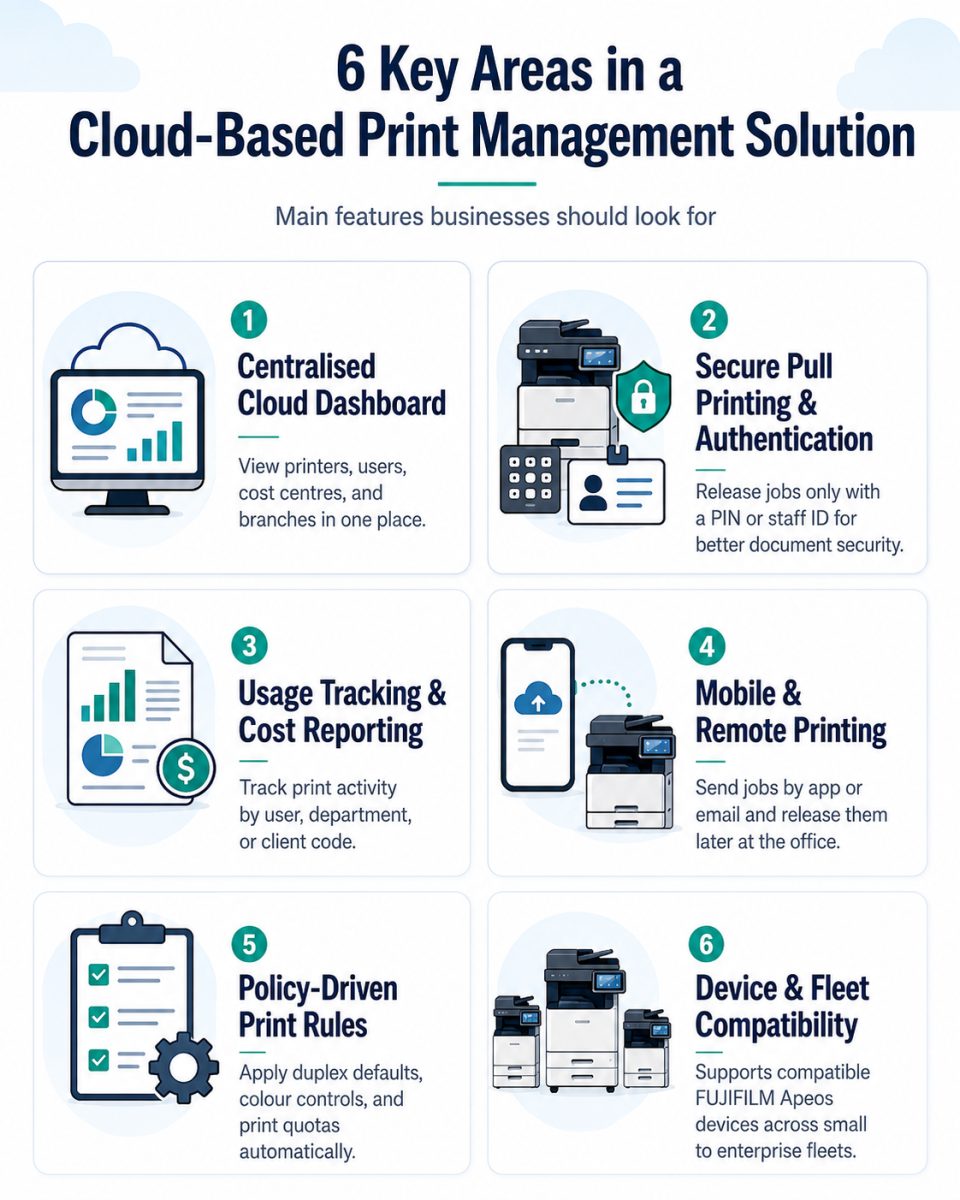
A complete setup usually covers six areas.
1. Centralised Cloud Dashboard
IT and finance view every printer, cost centre, and user across every branch from one browser tab. Adding an office in Penang or Johor takes minutes, not a site visit.
2. Secure Pull Printing and Authentication
Jobs sit in a secure queue until the staff member badges in or enters a PIN at any connected machine. Nothing prints unattended, which matters for HR files, client contracts, and finance records.
3. Usage Tracking and Cost Reporting
Every page gets tagged to a user, department, or client code. Reports show who printed what, so cost recovery and budget reviews rely on numbers instead of estimates.
4. Mobile and Remote Printing
Staff working from home or a client site send jobs through an app or email, then release them later at the office. Hybrid teams stay productive without extra VPN setup.
5. Policy Driven Print Rules
Rules such as default duplex printing, colour restrictions, or page quotas per department run automatically. Waste drops without anyone policing the photocopier by hand.
6. Device and Fleet Compatibility
The features above only work if the photocopier can run the client software. Fujifilm Apeos machines support PaperCut natively, so the compact C2061 series, the mid range C4571 to C5571 series, and the enterprise grade C8180 series all plug into the same cloud dashboard without extra middleware.
Find out more about how PaperCut MF ensures secure printing for businesses across Malaysia.
5 Key Factors to Consider When Choosing

A good print management decision should match your business needs today while still supporting future growth.
1. Business Size and Growth Plans
Startups and growing SMEs typically benefit more from cloud-based print management. You can start small and scale up as headcount grows without procuring new hardware. On-premise setups, meanwhile, can be more cost-effective for large organisations that already have server infrastructure in place and a consistent print volume.
2. IT Resources
Do you have a dedicated IT team or an in-house IT manager? On-premise deployments require ongoing attention, including software updates, server maintenance, and troubleshooting. Cloud setups remove that burden by shifting maintenance responsibility to the provider, freeing your team to focus on other priorities.
3. Data Sensitivity and Compliance
If your business handles confidential client data, operates in banking, legal, or healthcare sectors, or has specific data residency requirements, on-premise may be the safer choice.
Malaysia’s Personal Data Protection Act (PDPA) requires organisations to take reasonable steps to protect personal data, and keeping print data on-site can make compliance documentation more straightforward.
That said, reputable cloud print management providers do maintain strong security certifications. It is worth verifying the specific compliance credentials of any cloud platform you consider.
4. Multi-Site and Remote Workforce Support
Cloud-based print management has a clear advantage for businesses with employees working from multiple locations or remotely. Follow-me printing and centralised reporting work seamlessly across sites without requiring site-to-site VPN configurations or replicating server infrastructure at each location.
5. Total Cost of Ownership
Cloud setups have a predictable monthly or annual subscription cost, which makes budgeting straightforward. On-premise solutions carry higher upfront costs for licensing, server hardware, and installation, plus ongoing maintenance costs. Over a five-year period, the cost difference may narrow or reverse depending on your print volume and internal IT costs.
Speak to a Nation Success specialist to get a cost comparison tailored to your print environment.
Smarter Cloud Printing with Nation Success
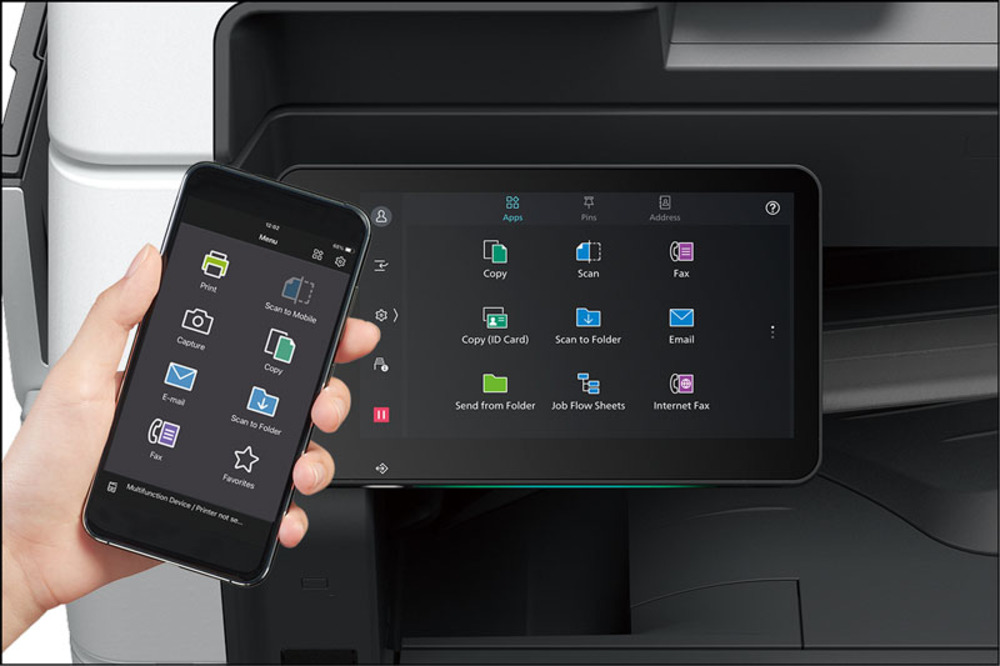
Nation Success helps Malaysian businesses set up cloud-based print management solutions that support better print control, usage tracking, secure print release, and cost management.
Through solutions such as PaperCut MF and other print management software, businesses can manage printing more efficiently without adding unnecessary pressure on internal IT teams.
As an authorised Fujifilm photocopy machine supplier in Malaysia, Nation Success brings together copier hardware, print management software, and local support to help businesses build a smarter and more organised print environment.
Take Control of Your Print Environment with Nation Success
The right print management setup can help your business reduce waste, improve visibility, and control printing costs more effectively.
Let Nation Success assess your current print environment and recommend a solution that supports your daily operations and future growth.
With over 27 years of experience serving businesses across Malaysia, Nation Success helps companies choose and implement print management solutions that deliver better control and stronger long-term value.
Speak to Nation Success today to find the right cloud-based or on-premise print management solution for your business.
Frequently Asked Questions About Cloud-Based Print Management
1. What does a cloud based print management solution include?
A central dashboard, secure pull printing, usage reports, mobile release, and policy controls, all running through software hosted online instead of an in-house server.
2. Do Malaysian businesses need new photocopiers for cloud based print management?
Only if current machines lack the client software. Fujifilm Apeos models support PaperCut directly, so most existing Apeos devices need a software update rather than a full replacement.
3. Is cloud based print management secure for confidential documents?
Yes. Jobs stay encrypted in a queue and print only after the user authenticates at the device, keeping HR and client files off shared trays.
4. How much does cloud based print management cost in Malaysia?
Pricing depends on device count and subscription tier. Contact Nation Success for a quote based on headcount and branch count.
5. Can small businesses use cloud based print management?
Yes. A single Apeos C2061 or C2561 paired with PaperCut Hive covers most small offices without any server hardware.