

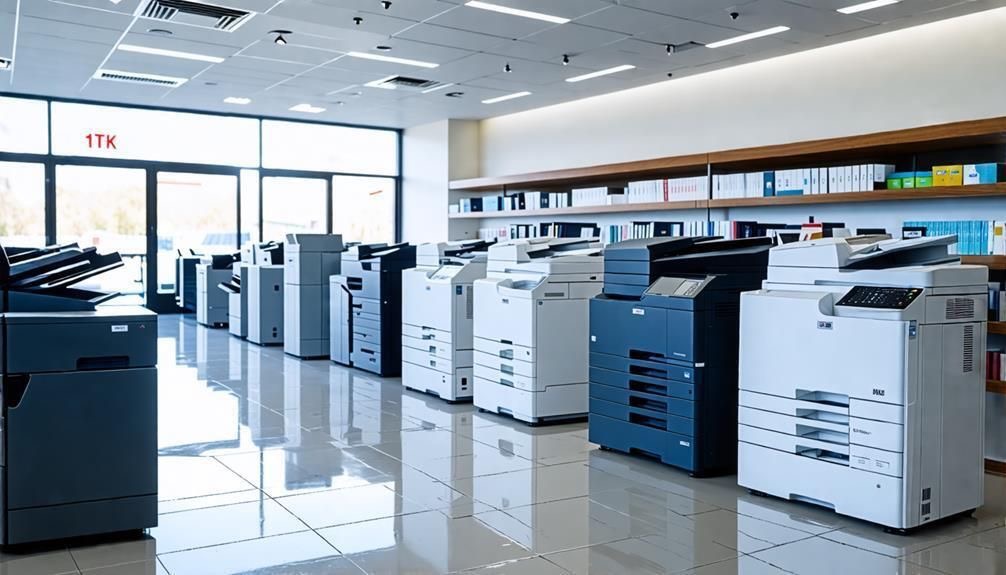
Choosing the right photocopier machine for your office is not simply about finding the cheapest model or the fastest printer.
A machine that works well for a small office may not be suitable for a larger organisation with higher print volumes, more users and heavier scanning needs. At the same time, choosing a copier with more capacity than you actually need can lead to unnecessary costs.
The best office copier is the one that matches your daily workflow, monthly printing volume and long-term business requirements.
Here are the main factors Malaysian businesses should consider before choosing a photocopier.
1. Start With Your Monthly Print Volume
Your monthly print volume should be one of the first things you assess.
A small office printing a few hundred pages per month does not need the same photocopier machine as a company producing several thousand pages every week.
If the machine is too small for your workload, you may experience slower performance, frequent paper refills and more wear over time. If the machine is too large, you may end up paying for capacity you rarely use.
Before comparing models, estimate:
- Average pages printed each month
- Peak printing periods
- Number of users
- Colour versus black-and-white printing
- Scanning volume
This gives you a practical starting point for choosing the right copier.
2. Consider the Number of Users

The number of employees sharing the machine also matters.
An office photocopier used by five people will have very different demands from one shared by fifty employees.
Larger teams may benefit from:
- Faster print speeds
- Larger paper trays
- Higher monthly duty cycles
- Faster scanning
- Better network connectivity
- Secure printing
- User authentication
For smaller teams, some of these features may not be necessary.
The goal is to choose a machine that can handle daily demand without creating bottlenecks.
3. Choose the Right Print Speed
Print speed is usually measured in pages per minute, or PPM.
A faster copier can improve productivity in a busy office, but speed should be matched to actual usage.
Higher print speeds are more useful when:
- Many employees share one machine
- Large documents are printed regularly
- Printing is time-sensitive
- The office has high-volume print jobs
If printing is occasional, a very high-speed machine may not provide enough benefit to justify the added cost.
Choose a speed that fits the way your team works.
4. Decide Between Colour and Black-and-White
Not every business needs colour printing.
A monochrome copier may be suitable if your office mainly prints:
- Invoices
- Contracts
- Forms
- Reports
- Internal documents
Colour may be more useful if you regularly produce:
- Presentations
- Marketing materials
- Client proposals
- Charts
- Branded documents
Colour capability can be valuable, but it may also increase operating costs. Consider how often your team genuinely needs it before selecting a model.
5. Check Whether You Need A3 Printing
Many offices only require A4 printing, but some businesses need A3 capability.
An A3 copier machine may be useful for:
- Large spreadsheets
- Architectural plans
- Engineering documents
- Posters
- Diagrams
- Marketing materials
If larger paper sizes are rarely used, an A4 machine may be more cost-effective.
It is better to choose based on real document requirements than to pay extra for features you may never use.
6. Look at Scanning Features
Modern photocopiers are often multifunction devices, which means scanning performance is just as important as printing for many businesses.
Useful scanning features may include:
- Automatic document feeder
- Duplex scanning
- Scan to email
- Scan to network folder
- Scan to USB
- Multiple file formats
- High-speed batch scanning
For offices that digitise large volumes of documents, a fast scanner can make a major difference in daily productivity.
7. Review Connectivity and Security
A modern photocopier should integrate smoothly with your office network.
Depending on your business, useful connectivity features may include:
- Ethernet
- Wi-Fi
- Mobile printing
- Network scanning
- Cloud integration
- Secure print release
Security is also important, especially if the machine handles confidential documents.
Features such as PIN printing, user authentication and access controls can help prevent sensitive documents from being collected by the wrong person.
8. Consider Maintenance and Technical Support
The machine itself is only part of the decision.
Even a reliable photocopier will require servicing over time.
Before choosing a supplier, ask:
- Is maintenance available?
- Are replacement parts easy to obtain?
- Are trained technicians available locally?
- How quickly can support be provided?
- Are genuine parts used?
- Is toner readily available?
Poor after-sales support can create more problems than the machine itself.
This is why choosing the right supplier is just as important as choosing the right model.
9. Compare the Total Cost of Ownership
The cheapest machine is not always the most affordable in the long run.
When comparing models, consider:
- Purchase or rental cost
- Toner
- Maintenance
- Repairs
- Replacement parts
- Cost per printed page
- Electricity usage
- Expected lifespan
A lower-priced photocopier machine with expensive consumables or frequent servicing may cost more over time.
Look at the total operating cost, not only the initial price.
10. Decide Whether to Rent or Buy

Once you know what type of machine your office needs, you can decide whether rental or purchase is more suitable.
Buying may make sense if your business:
- Has sufficient capital
- Wants full ownership
- Has stable printing requirements
- Plans to use the machine for several years
Rental may be more suitable if your business:
- Wants lower upfront costs
- Prefers predictable monthly payments
- Values maintenance support
- Expects printing needs to change
- Wants greater flexibility
The right decision depends on your budget and long-term requirements.
11. Do Not Choose Based on Brand Alone
Brand reputation matters, but it should not be the only factor.
For example, someone searching for a Fuji Xerox printer may already have a preferred brand in mind, but the most suitable machine still depends on print volume, paper size, speed, scanning requirements and after-sales support.
A better question is not:
“Which brand is best?”
It is:
“Which machine best fits our office requirements?”
A reliable supplier should help you compare models based on practical needs, not only brand recognition.
Quick Checklist Before Choosing a Photocopier Machine
Before making a decision, ask:
- How many pages do we print each month?
- How many employees will use the machine?
- Do we need colour?
- Do we need A3?
- How important is scanning speed?
- Do we need duplex printing?
- What connectivity features are required?
- Do we handle confidential documents?
- What level of maintenance support do we need?
- Are we better suited to rental or purchase?
Answering these questions will make it much easier to compare your options for your photocopier machine.
Choosing the Right Photocopier Machine in Malaysia
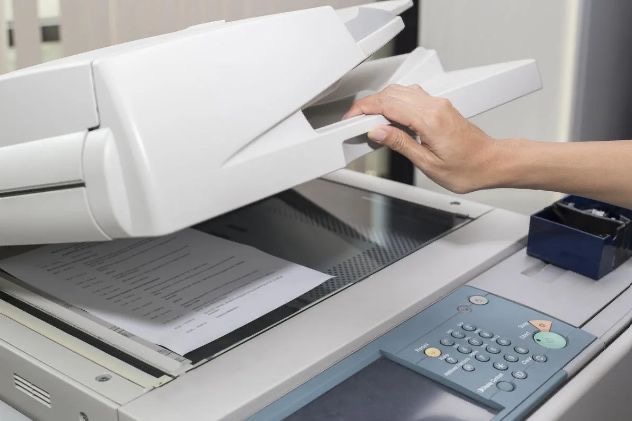
The best photocopier machine is not necessarily the newest, fastest or most expensive.
It is the one that fits your office workload, budget and daily workflow without adding unnecessary cost.
Start with your monthly print volume and number of users. Then compare print speed, colour requirements, paper size, scanning, connectivity, security and ongoing operating costs.
Just as importantly, consider the quality of support available after installation.
Nation Success provides photocopier machine solutions for Malaysian businesses looking for equipment that suits their office requirements.
Contact Nation Success to discuss your print volume, office size and workflow needs, and find a photocopier machine that fits your business.